
Your home's plan for the season — in 60 seconds.
Tell it your ZIP and a little about your house. I am Home builds a maintenance plan for your climate, hands you a few small jobs each week with step-by-step how-tos, and warns you before frost, storms and heat waves.
Every feature free No credit card US & Canada
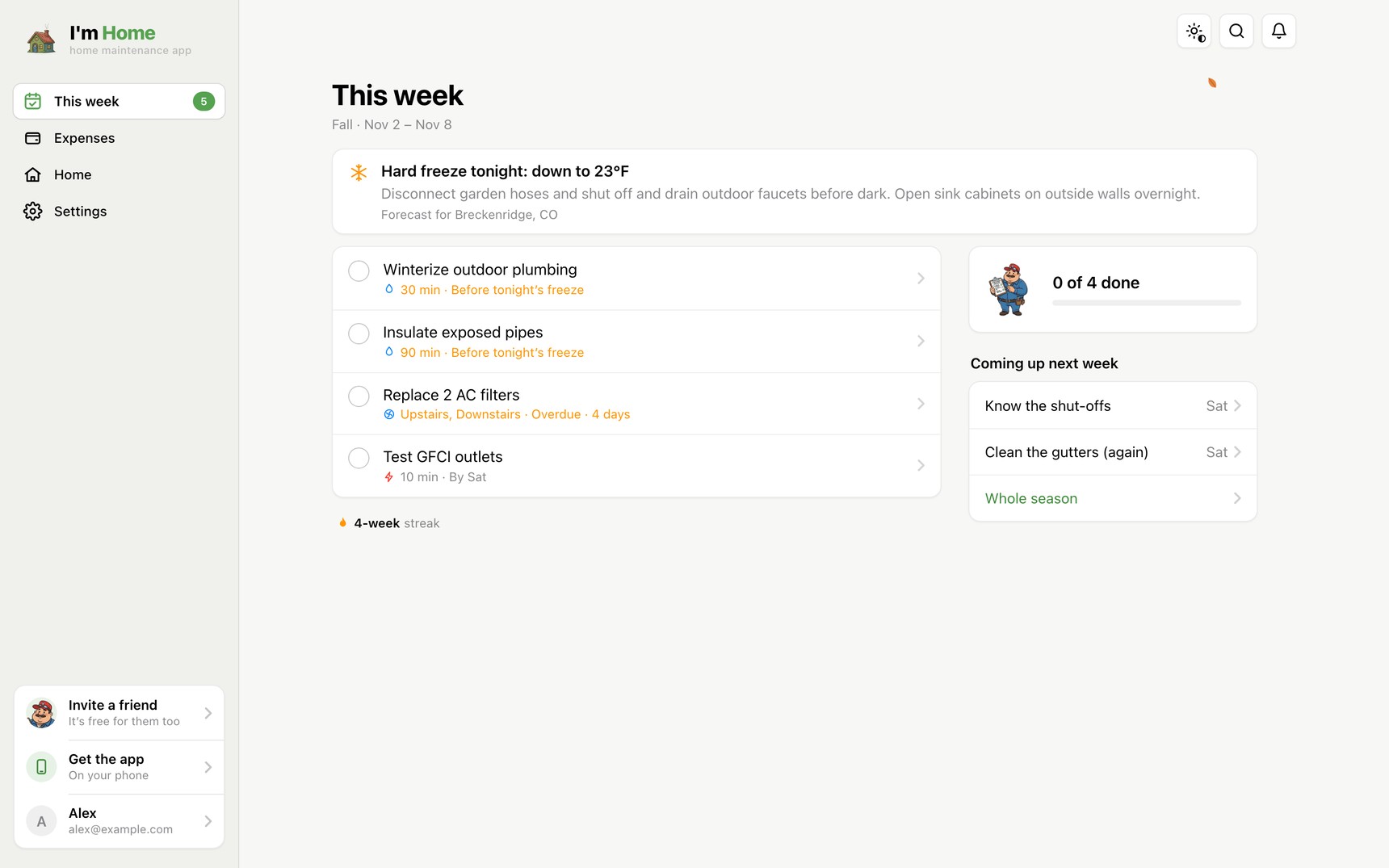
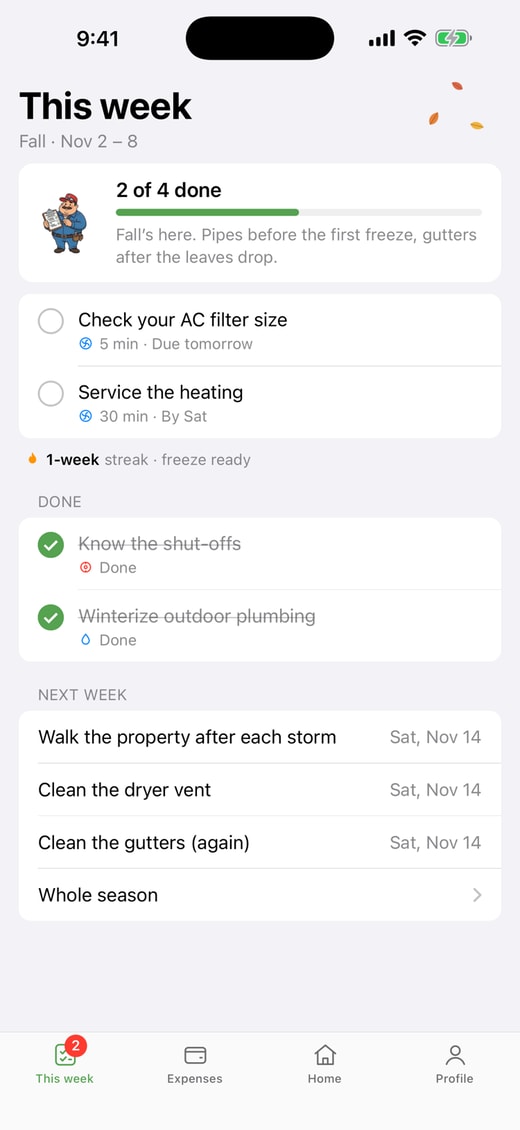
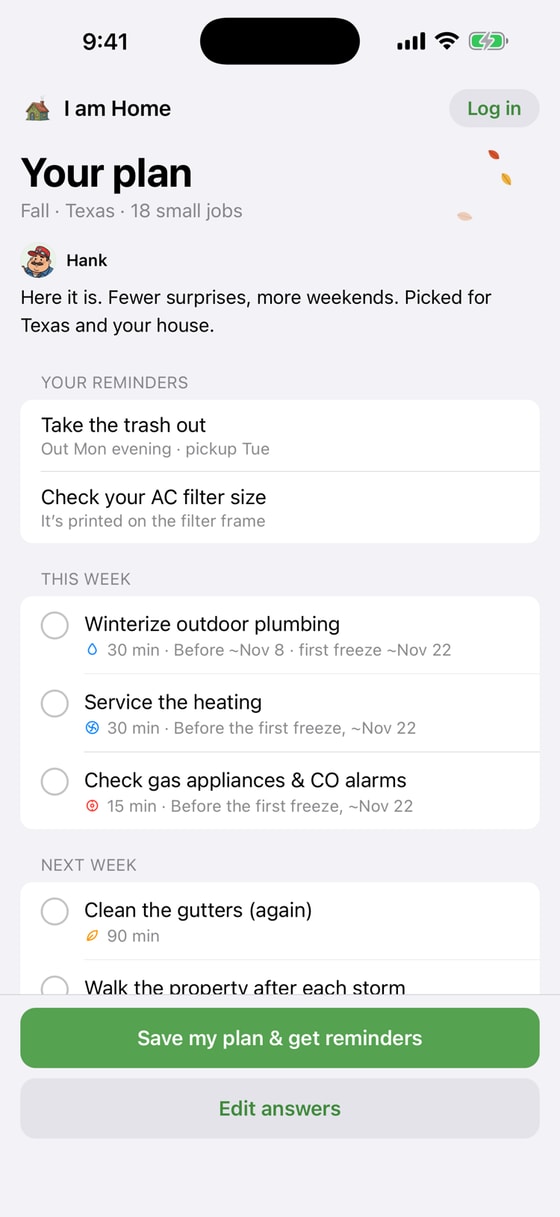
A plan in a minute. Then just a few jobs a week.
-
1
Tell it about your home
Your ZIP, the kind of home, and what it has — a yard, a furnace, a pool, a septic tank. About 60 seconds, no account needed to start.
-
2
Get your plan for the season
Jobs matched to your climate and the time of year — winterizing in Minnesota, hurricane prep in Florida, nothing you don't need.
-
3
Do this week's few small jobs
Most are quick — 5 to 30 minutes. Tick them off or push one to next week, keep your streak, and see what's coming.
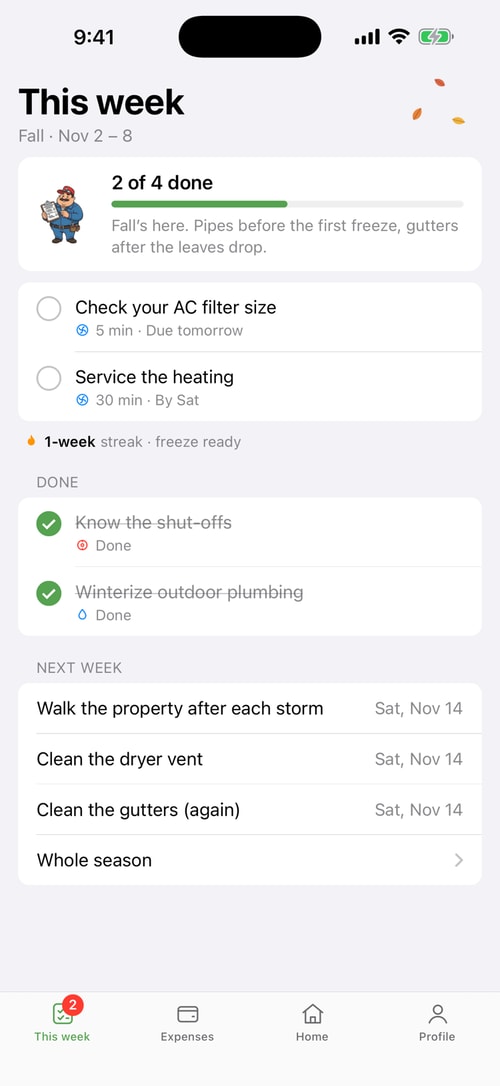
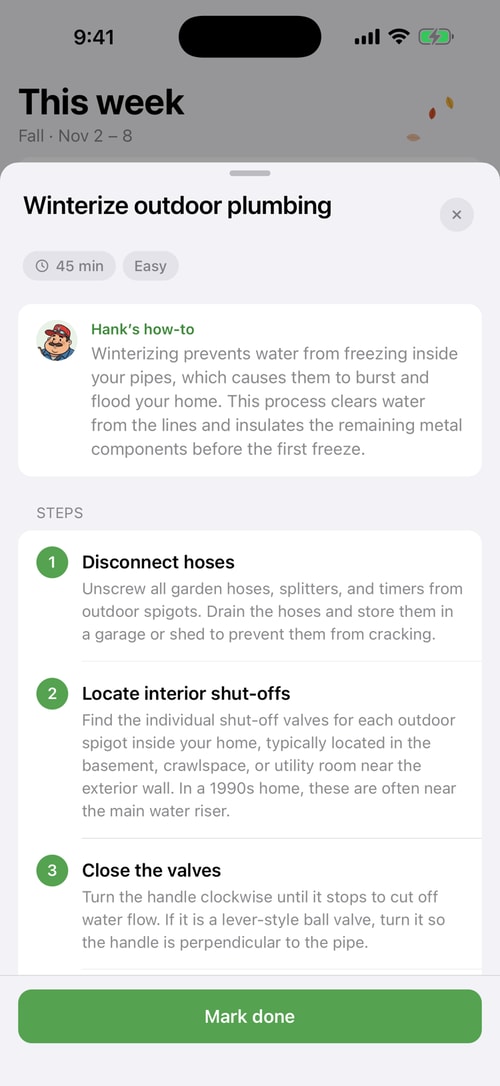
A few small jobs. Each one explained.
No 80-item checklist. Every week you get the handful of jobs that matter right now — with the time it takes, how hard it is, and why it's worth doing.
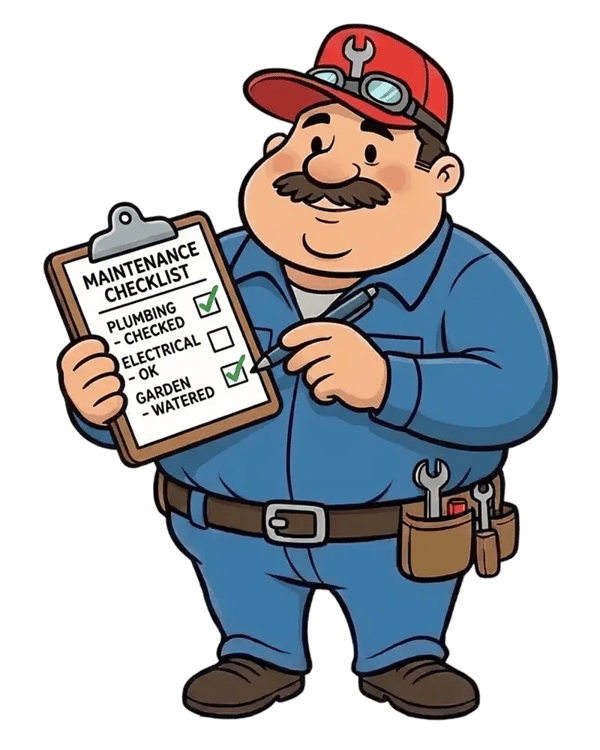
- “Show me step by step” — plain-English how-tos from Hank, our handyman.
- Timed to your season — winterize before the first frost, not after the pipes burst.
- Streaks & XP — finish the week, keep the streak, watch Hank cheer.
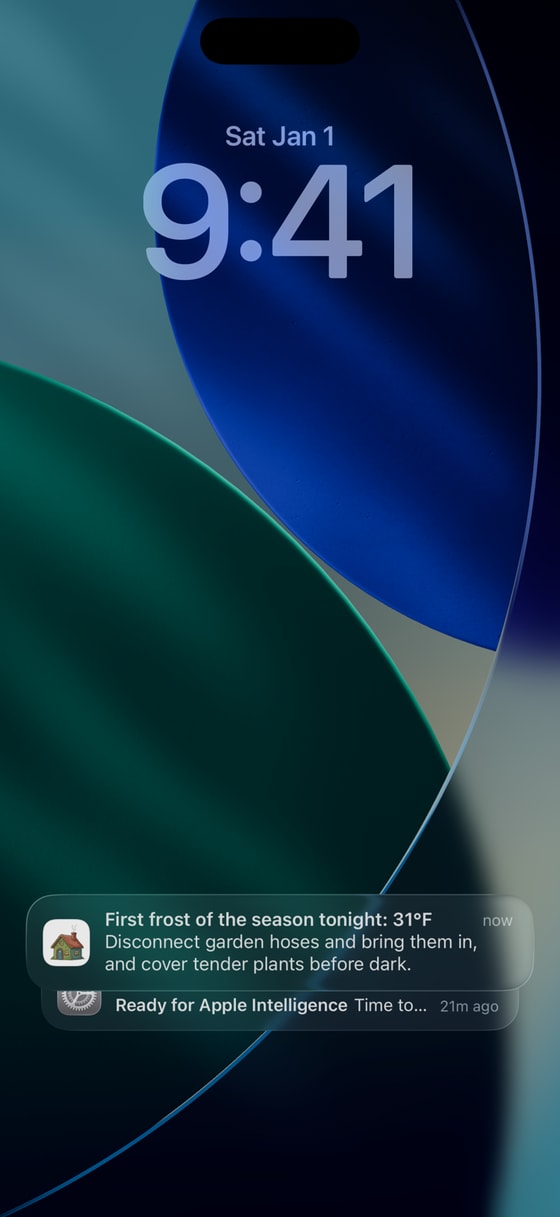
Frost tonight? You'll know before dark.
I am Home watches the forecast for your ZIP and tells you the one or two things worth doing before the weather turns.
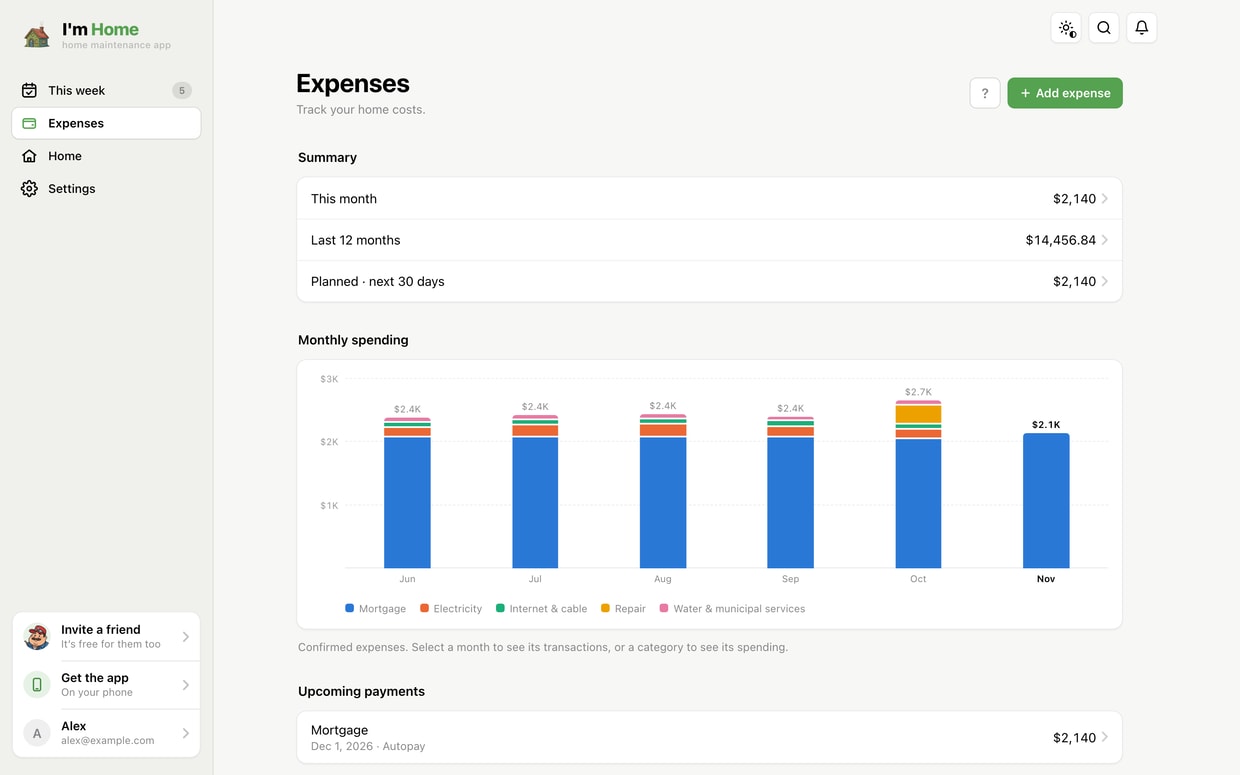
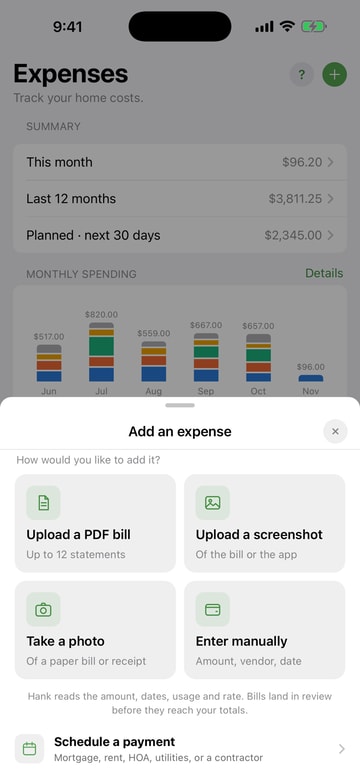
Every home bill. One tidy place.
Snap a bill, upload the PDF or drop in a screenshot — the amount and dates are read for you. Or type it in.
- Monthly chart by category — mortgage, utilities, insurance, repairs, stacked so you see where it goes.
- Upcoming payments — what's due in the next 30 days, before it's late.
- Totals that add up — this month and the last 12 months, per home.
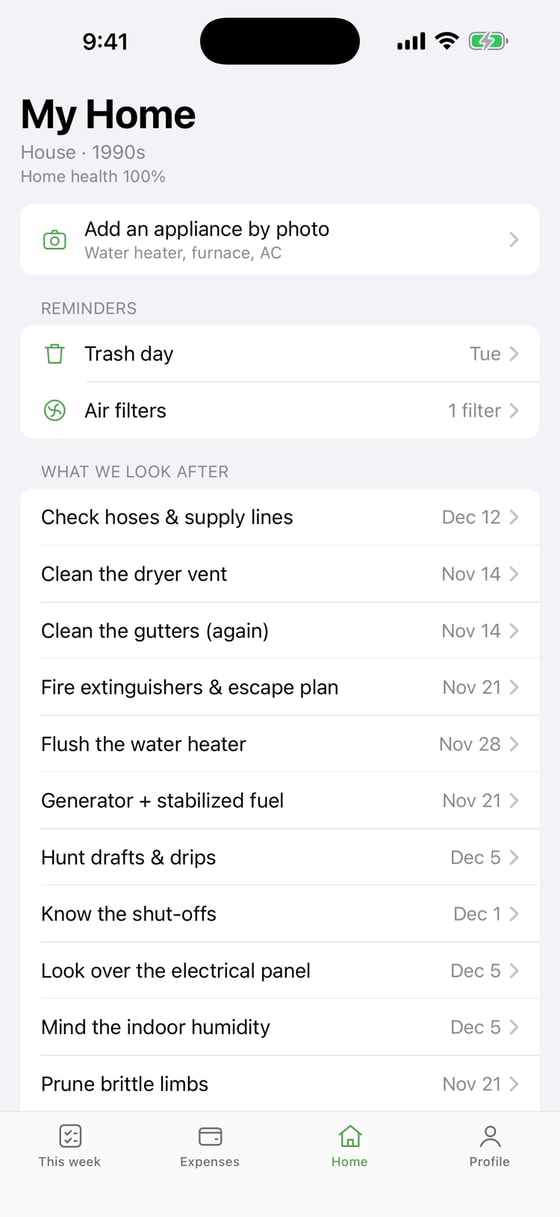
Everything your house has — remembered.
One place for the things that are easy to forget until they break.
From ZIP code to a finished week.
A 40-second look at the plan, this week's jobs, a frost alert, a how-to and a bill snapped in one go.
Start on your laptop. Finish in the yard.
One account, the same plan everywhere — jobs, homes and expenses stay in sync.
Web app
Every feature in any browser — big-screen expenses, planning the season, nothing to install.
Open iamhome.app/web →iPhone
Weather alerts, trash day and job reminders as notifications — and the how-tos in your pocket.
Get it on the App Store →Android
The same plan, alerts and expenses on your Android phone.
Get it on Google Play →Free. Every feature.
No trial, no paywall, nothing locked. The plan, the how-tos, the alerts, Home and Expenses are free for everyone, on every device.
If I am Home saves you a weekend or a repair bill, you can chip in from $3.99 a month as a Supporter. It's completely optional — everything stays free either way.
Good to know
Is I am Home really free?
Yes. Every feature — the seasonal plan, weekly jobs and how-tos, weather alerts, Home and Expenses — is free, with no trial and nothing locked. If the app helps you, you can choose to support it from $3.99 a month; everything stays free either way.
How does it build a plan for my home?
Answer a few quick questions — your ZIP code, the type of home and what it has (a yard, a furnace, a pool, a septic tank…). I am Home matches that to your climate and season and lays out the jobs that matter now, so a Florida condo and a Minnesota farmhouse get very different lists.
What kind of weather alerts do I get?
Frost, hard freeze, snow, storm, high-wind and extreme-heat alerts near your home, each with the one or two things worth doing before it hits — disconnect the hoses, clear the gutters, check the AC. On iPhone and Android they arrive as notifications.
Can I use it without installing anything?
Yes. The full app runs in any browser at iamhome.app/web, and the apps are on the App Store and Google Play. Your plan, jobs and expenses stay in sync between them.
Is there an Android app?
Yes — I am Home is on Google Play, and Android users can also use the web app in any browser.
Where does I am Home work?
Homes in the United States and Canada. Plans, seasons and alerts are tuned to your ZIP or postal code.
How do expenses work?
Snap a bill, upload a PDF or drop in a screenshot and the amount and dates are read for you — or add it by hand. You confirm it before it counts, then see a monthly chart stacked by category (electricity, water, insurance, repairs…) and your upcoming regular payments with a reminder before each is due.
Choosing between apps? See how I am Home compares with other home maintenance apps. More homeowner know-how in Know Your Home, the seasonal checklists by state and the blog.
Your plan for the season is 60 seconds away.
Start in your browser, on your iPhone or on Android — free, every feature.