Thermostat Screen Blank? The 5-Minute Troubleshooting Fix
Don't panic if your thermostat screen goes completely dark. Before calling an HVAC pro, try this 5-minute troubleshooting guide to restore power and save yourself a $150 service fee.
Full guide HVAC & Climate Control How your home heats, cools, and moves air, and the decisions that matter.Walking up to your wall expecting to turn on the air conditioning during a late summer heatwave, only to find your thermostat screen blank, is incredibly frustrating. You tap the glass. You press the buttons. Nothing happens. A cold wave of panic immediately sets in. Did the entire HVAC system just die? Will it cost thousands of dollars to replace the air handler or the outdoor compressor?
Take a deep breath. A dead thermostat display rarely signals a catastrophic, system-wide failure. Instead, it usually indicates a simple, localized power interruption. Your thermostat is essentially a low-voltage remote control for your heating and cooling system. When it loses power, it goes to sleep.
Before you pick up the phone to schedule an emergency service call, which runs between $150 and $250 in 2026, walk through a basic diagnostic checklist. Nine times out of ten, a homeowner can find the culprit and restore power in under five minutes. Let's walk through the exact steps to bring your thermostat back to life.
Why Is My Thermostat Screen Blank? Understanding the Basics
To fix the problem, it helps to understand how your thermostat gets its power. Most modern thermostats operate on 24 volts of electricity. This power does not come directly from your home's electrical panel. Instead, it is stepped down by a transformer inside your furnace or air handler. The power travels up to your thermostat through a dedicated wire, commonly called the C-wire (common wire).
If the flow of that 24-volt electricity is interrupted anywhere between your main electrical panel, your furnace, and the wall, your thermostat screen goes blank. Modern HVAC systems feature safety switches designed to intentionally cut this power if they detect a problem, like a water leak or an open cabinet door. Systematically checking these power points helps you easily isolate the issue.
Step 1: The Battery Check (Yes, Even for Hardwired Units)
The first thing you should check is the simplest: the batteries. Many homeowners assume a hardwired thermostat does not use batteries. This is a common misconception. Many popular models rely on AA or AAA batteries as a backup to preserve schedules and settings during power outages. If those batteries die, the thermostat can lock up or go completely blank, even if the C-wire still provides power.
Replacing the batteries is straightforward, but you need to be gentle to avoid damaging the mounting pins.
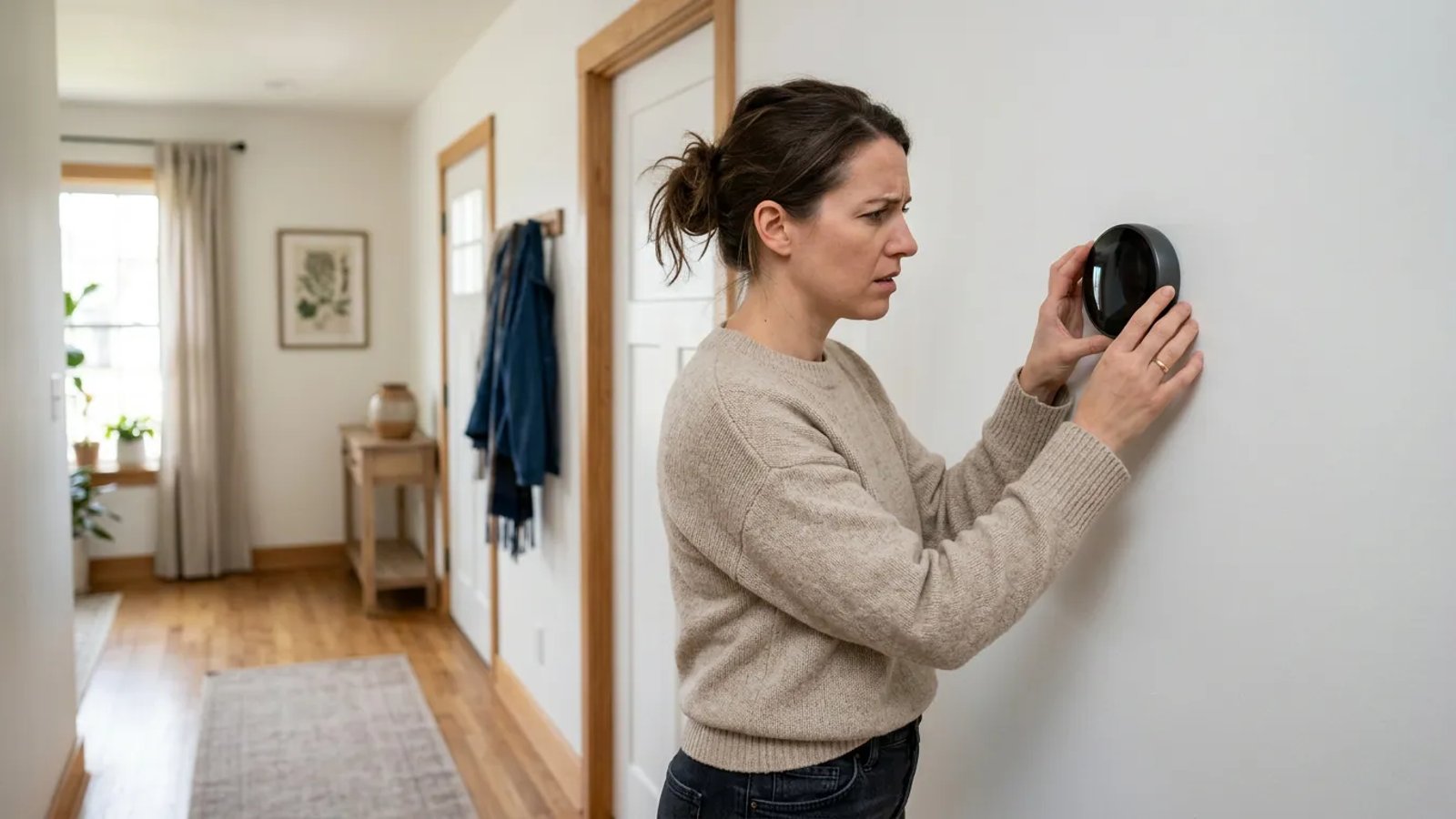
- Grasp the faceplate. Place your hands on the left and right edges of the thermostat body.
- Pull straight back. Do not tilt, twist, or pry the faceplate with a screwdriver. Gently pull it straight away from the wall until it pops off the base plate.
- Locate the battery compartment. Turn the faceplate over. You will typically see a slot for two AA or AAA batteries.
- Swap the batteries. Remove the old batteries and insert fresh, high-quality alkaline batteries. Avoid using rechargeable batteries, as their voltage output can be inconsistent for HVAC equipment.
- Reattach the faceplate. Line up the pins on the back of the faceplate with the terminal block on the wall and push straight in until it clicks into place.
Is Your Smart Thermostat Just Updating?
As of 2026, the majority of homes feature Wi-Fi-connected smart thermostats. Occasionally, these devices download large firmware updates over the air. During the installation process, the screen may go completely black and become unresponsive for up to ten minutes. Before you start dismantling your HVAC system, wait a few minutes to see if a progress bar or company logo appears on the display. If the screen remains dark after ten minutes, proceed to the next troubleshooting steps.
Step 2: Inspecting the Main Electrical Breaker Box
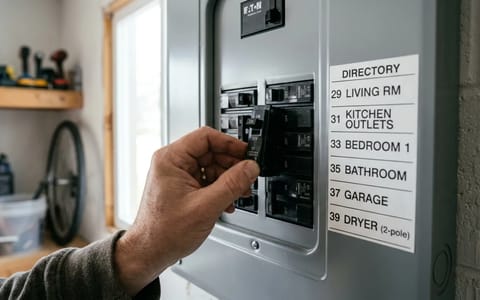
If fresh batteries did not bring the screen back to life, check your home's main electrical panel. Because your thermostat receives power from the indoor furnace or air handler, a tripped breaker on that main unit instantly kills power to the thermostat.
Head to your breaker box and look for the circuit labeled "HVAC," "Furnace," "Air Handler," or "Indoor AC." You are looking for a breaker switch that is not entirely in the "ON" position. When a breaker trips, it usually rests in the middle and feels slightly spongy to the touch. Many modern breakers also display a small orange or red flag in a window when tripped.
To reset a tripped breaker, you cannot simply push it back to the "ON" position. First, push the switch firmly all the way to the "OFF" position until you hear a loud click, then push it firmly back to the "ON" position. If the breaker immediately trips again the moment you reset it, stop. Do not force it to stay on. This indicates a dead short or a serious electrical fault in your system.
Step 3: The Often-Ignored Furnace Power Switch
This next step causes an astonishing number of unnecessary service calls. According to 2026 residential building codes, every indoor furnace or air handler must feature a dedicated service disconnect switch nearby. This switch allows technicians to safely cut power to the unit while performing maintenance.
The problem? This switch usually looks exactly like a standard residential light switch. It is typically mounted on the side of the furnace cabinet, on a nearby wall, or on a floor joist directly above the unit. Because of its appearance, it gets accidentally flipped off constantly.
A bumped service switch is the single most common reason a perfectly healthy HVAC system suddenly plays dead.
I once spent an hour tracing wires with a multimeter, completely baffled as to why my own thermostat was dead. It turned out I had bumped the furnace power switch with my shoulder while wrestling a heavy box out of the attic. Kids playing in the basement, contractors doing other work, or simply reaching for a broom stored near the utility closet can easily result in a flipped switch.
Go to your indoor unit and locate this switch. Ensure it is firmly flipped to the "ON" or up position. If you find it turned off, flip it back on and wait about 60 seconds. You should hear the furnace control board click, and your thermostat screen should light up shortly after.
Step 4: The AC Float Switch and Clogged Condensate Drains
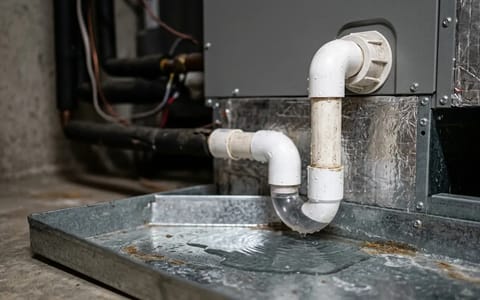
If your air conditioning has been running heavily during a summer heatwave before the thermostat died, this is the most likely culprit. As your AC runs, the evaporator coil pulls humidity out of the air. This moisture drips into a drain pan and flows outside through a white PVC condensate pipe.
Over time, algae, mold, and dust build up inside this wet pipe, creating a clog. If the water cannot drain outside, it backs up into the indoor drain pan. To prevent this water from overflowing and destroying your ceilings or floors, installers fit the drain line with a safety float switch.
This switch sits inside a small PVC tee-fitting near the indoor unit. If water backs up, a small plastic float rises. Once it rises high enough, it trips a microswitch that instantly cuts the 24-volt power to your thermostat. The system shuts down, the thermostat screen goes blank, and your house is spared from water damage.
To check if this is your problem, locate the float switch on the PVC pipe next to your indoor unit. It usually features two thin wires coming out of the top. Gently pull the switch assembly straight up and out of the pipe. If the little cup beneath it is full of water, you have found the problem.
The easiest way to clear a condensate clog is from the outside. Locate where the white PVC pipe exits your house, usually near the outdoor compressor unit. Take a wet/dry shop vacuum, place the hose over the end of the PVC pipe, and use your hands or a wet rag to create a tight seal. Turn the vacuum on for about three minutes. You will usually hear a satisfying thwump as the clog is sucked out, followed by a rush of dirty water. Once the line clears, the water in the indoor pan drains, the float switch drops, and your thermostat powers back on.
Step 5: Verifying the Furnace Cabinet Door Switch
Furnaces and air handlers feature another built-in safety mechanism: the blower door switch. This operates exactly like the light switch on your refrigerator door. When you take the metal front panel off the furnace to change the air filter, the switch pops out and cuts all power to the unit, protecting you from the spinning blower motor.
If you recently changed your HVAC air filter, you might not have seated the metal door properly when you put it back on. If the door is even slightly askew or not pushed entirely flush against the cabinet, it will not press the safety switch in far enough. Walk over to your indoor unit and give the blower compartment doors a firm push. Ensure all tabs slot correctly and any retaining screws are tightened. A loose door means a dead thermostat.
Step 6: Inspecting the 3-Amp Control Board Fuse
If you checked the batteries, the breaker, the power switch, the float switch, and the cabinet door, and your thermostat remains blank, you might have a blown low-voltage fuse. Inside your furnace, mounted on the main green circuit board, sits a small automotive-style blade fuse. It is usually purple (3-amp) or orange (5-amp).
This fuse protects the delicate control board from electrical shorts. If a dog chews through the thermostat wire outside, or if a wire shorts out against the metal cabinet, this little fuse sacrifices itself. To check it, ensure the main power to the furnace is turned off. Remove the blower door, locate the circuit board, and find the fuse. Pull it out and hold it up to the light. If the tiny metal "U" shape inside the plastic casing is broken or blackened, the fuse blew.
When to Stop Troubleshooting and Call a Professional
Troubleshooting a blank thermostat is highly rewarding because the fixes are usually fast and free. However, there is a limit to what you should attempt on your own. If you have gone through every step on this list (new batteries, reset breakers, cleared drains, and checked fuses) and the screen is still dark, you have reached the end of the DIY road.
A dead thermostat is rarely a reason to panic. By taking a few minutes to systematically check your batteries, breakers, and safety switches, you can confidently diagnose the issue. Keep a spare set of batteries in your utility drawer, remember to check your drain lines when the weather gets hot, and you will be well-prepared to keep your home comfortable all season long.