Ceiling Fan Clicking Metal Sound? How to Tighten the Blades
A rhythmic clicking from your ceiling fan usually means loose metal hardware or rattling glass, not a dead motor. Here is how to track down the noise and silence it for good.
Late-summer heat means your ceiling fan is likely running around the clock. But when a steady, rhythmic ticking starts echoing through the room, that cooling breeze suddenly becomes a massive annoyance. If you are dealing with a ceiling fan clicking metal sound—and those little stick-on balancing weights didn't help—you are likely dealing with loose hardware, not a ruined motor.
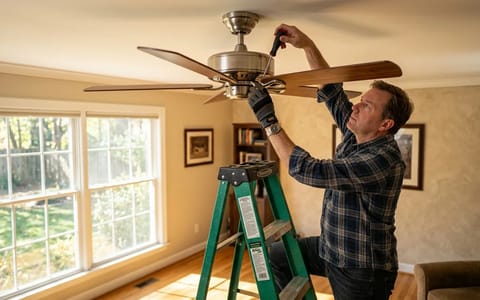
Homeowners often assume a noisy fan means the internal bearings are shot and the whole unit needs replacing. In my experience, most of the time, the fix requires nothing more than a standard screwdriver, a rubber band, and about 15 minutes of your time. Let's track down exactly where that noise is coming from and silence it.
Why Is My Ceiling Fan Clicking Even After Balancing?
Balancing kits are fantastic for fixing a wobble caused by uneven blade weight. However, they do absolutely nothing to tighten loose joints. When metal rubs against metal, or glass vibrates against steel, it creates a sharp click or rattle that scales with the fan's speed. These clicks can occur at rates exceeding 100 per minute, making even a slight vibration noticeable.
Last August, I spent a frustrating hour sticking heavy lead weights to my living room fan, trying to stop a persistent ticking. The wobble stopped, but the noise didn't. After pulling out a ladder, I discovered the noise was simply a single loose screw on the light kit glass shade. The vibration of the motor was causing the metal screw to tap against the glass 200 times a minute.
Centrifugal force pulls outward on the blades as they spin. Over months and years of use, this constant pulling and vibrating slowly backs out the mounting screws. Even a gap of a fraction of a millimeter is enough to cause a loud, repetitive metal-on-metal click.
How to Tighten Blade Irons and Hidden Motor Screws
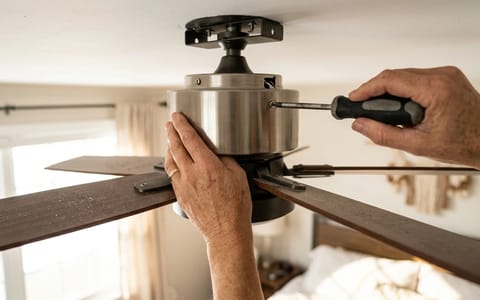
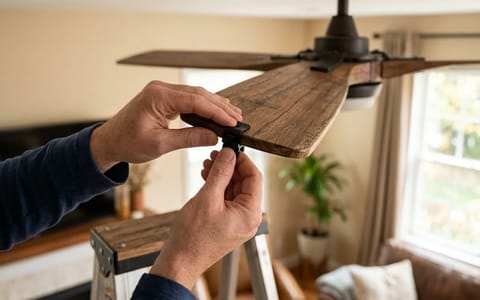
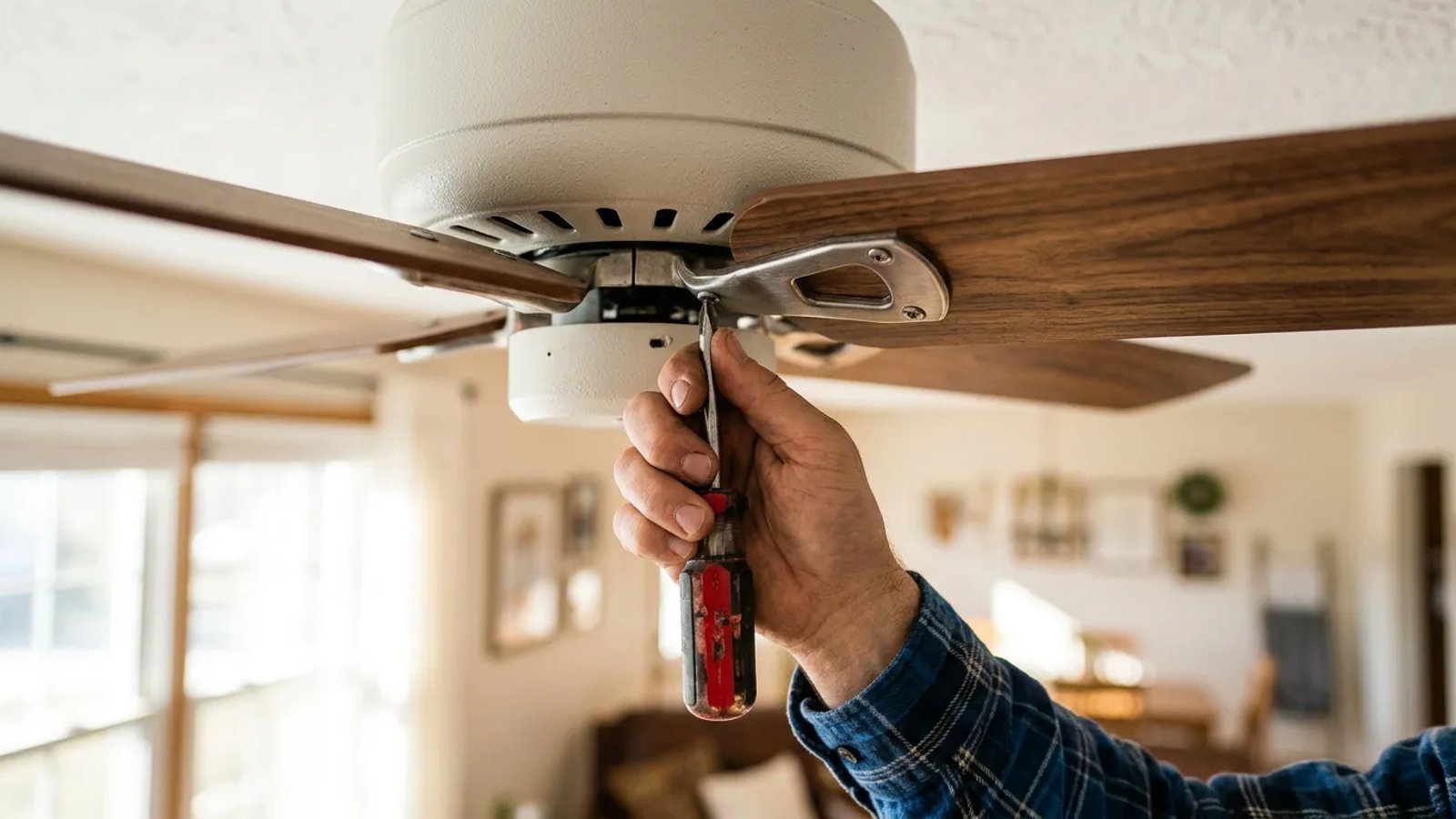
The most common culprit for a clicking fan is the blade iron. This is the metal bracket that connects the wooden fan blade to the heavy motor housing. There are two sets of screws you need to check on every single blade.
- Turn off the power. Flip the wall switch off, and if your fan is hardwired without a switch, turn off the breaker.
- Tighten the blade-to-iron screws. Check the three screws holding the wooden blade to the metal bracket. Wood compresses over time, leaving these screws loose.
- Tighten the iron-to-motor screws. Locate the two heavy machine screws attaching the metal bracket to the spinning motor hub. These take the most stress and are the primary source of clicking.
- Check the motor housing screws. Look for any decorative screws around the center switch housing or the light kit base and ensure they are snug.
The Rubber-Band Trick for Silencing Rattling Glass Globes
Sometimes, the metal sound you hear is actually the glass light shade rattling against its metal fitter ring. Many ceiling fans use three small thumb screws to hold the glass globes in place. Because glass and metal expand and contract at different rates due to the heat of the lightbulbs, these screws inevitably loosen.
A simple rubber band acts as a shock absorber, completely eliminating the vibration between the glass and the metal housing.
To fix this permanently, remove the glass globe entirely. Take a thick, wide rubber band (the kind wrapped around broccoli or asparagus at the grocery store works perfectly) and stretch it around the threaded neck of the glass globe. Slide the globe back into the metal housing and gently tighten the thumb screws. The screws will press into the rubber band rather than the bare glass.
Tucking Away Loose Wire Nuts in the Canopy Housing
If the clicking sound seems to be coming from the ceiling rather than the blades, the issue is likely hiding inside the upper canopy. The canopy is the metal bell-shaped cover that hides the electrical box and the ceiling mount.
Inside that tight space, the house wires connect to the fan wires using hard plastic wire nuts. If those wire nuts aren't tucked up high into the electrical box, they can hang down and rest against the central spinning downrod. Every time the fan turns, the downrod rubs against the plastic nut, creating a rhythmic clicking or scraping sound.
Loosen the screws holding the canopy to the ceiling bracket and slide it down the rod. Carefully push the wire nuts high up into the junction box. When adjusting any wiring, ensure the power is off at the breaker and connections meet basic Electrical Safety Foundation (ESFI) standards to prevent arcing. Wrap a piece of electrical tape around the wire nuts to keep them bundled tightly, then slide the canopy back into place and secure it.
Beyond Clicking: Other Common Ceiling Fan Noises
While a sharp click or rattle is often due to loose hardware, not all fan noises point to the same culprit. Sometimes, what sounds like a click might actually be a different issue entirely. Understanding the nuances can help you diagnose problems more accurately.
A persistent humming sound, especially at higher speeds, often indicates an electrical issue. This could be anything from incompatible dimmer switches to loose wiring connections within the fan motor itself or the wall switch. If you hear a hum, ensure your fan is rated for any dimmer switch it's connected to, and consider consulting an electrician if the hum is loud and persistent.
A distinct grinding or continuous scraping sound, particularly if it's constant rather than rhythmic, usually points to internal motor bearing failure. Unlike a simple click, which can often be fixed with a screwdriver, grinding suggests a more serious mechanical breakdown within the sealed motor unit. This is when replacement is often the most cost-effective solution, as detailed later.
Finally, a noticeable wobble isn't a sound, but it can certainly lead to noise. An unbalanced fan can cause the entire unit to shake, leading to creaking from the ceiling mount or even the fan housing itself. While balancing kits can fix blade imbalance, a severe wobble could indicate a bent blade iron or even an improperly secured ceiling mounting bracket. Address wobbles promptly, as they put undue stress on the motor and ceiling.
Regular Maintenance to Prevent Ceiling Fan Clicking Sounds
Prevention is always better than cure, especially regarding annoying ceiling fan clicking sounds. A little proactive maintenance can save you the hassle of tracking down elusive rattles and ensure your fan runs quietly for years.
Regularly clean your fan blades and housing. Dust accumulation, especially on the blades, can throw off the fan's balance, leading to wobbling and eventually loosening screws. Use a damp cloth or a vacuum with a brush attachment to gently wipe down all surfaces every few months. Don't forget the top of the blades, which collect the most dust!
Periodically check all accessible screws. During your cleaning routine, take a moment to gently tighten the screws on the blade irons, the motor housing, and the light kit. You don't need to overtighten them – just ensure they are snug. This simple habit can prevent many common clicking issues before they even start. Think of it as a quick tune-up for your fan.
Ensure your fan was properly installed from the start. A securely mounted fan on a robust electrical box will experience less vibration overall, reducing the chances of screws backing out. If you notice persistent issues despite regular maintenance, or if the fan was recently installed, it might be worth re-checking the ceiling mount and junction box for stability.
Diagnosing Internal Motor Noise: When Your Ceiling Fan Keeps Clicking
If you have tightened every screw, secured the glass globes, and tucked the wiring away, but the fan still makes a grinding or metallic clicking noise, the issue lies deeper. Inside the heavy metal housing, the fan motor relies on sealed, lubricated bearings to spin smoothly.
Over time, especially in hot rooms or outdoor patios, the factory lubricant dries out. The steel ball bearings begin to grind against their metal casing. You can usually identify a bad bearing because the noise sounds more like a continuous metallic scrape or a heavy grinding click that persists even at the lowest speed setting.
Taking a few minutes to methodically check these common friction points is usually all it takes to restore the peace and quiet to your room. Keep a screwdriver handy when you do your regular dusting, and you will catch these loose screws before they ever have a chance to start clicking again.
- Always turn off the power at the wall switch or breaker before inspecting fan hardware.
- Use a manual #2 Phillips screwdriver rather than a power drill to avoid stripping the delicate threads on the fan motor.
- Check both sets of screws on the blade irons: the ones connecting the iron to the wood blade, and the ones connecting the iron to the motor housing.
- If the fan continues to grind or click after all exterior hardware is tight, the internal motor bearings are likely failing.